
Best overall starting point: Operation Defend the North’s General Admission for Vancouver 2026. Best for remote attendance: Virtual Full Access. Best introductory option: Virtual Starter Pass. This Vancouver cybersecurity summit guide compares attendance choices for the same event—not four passes presented as four competing summits.
- For a Vancouver cybersecurity summit, start with Operation Defend the North’s General Admission and check the programme against your objectives.
- Virtual Full Access is the remote option to assess; confirm session coverage before choosing it.
- Virtual Starter Pass suits an introductory shortlist; verify exactly what the pass includes.
- Siberx organizes Canadian cybersecurity events for CISOs, executives and policymakers; choose by audience, programme and participation format.
Why this matters
A summit name is not enough to justify your attendance. You need a programme that addresses your work, an audience relevant to your responsibilities and a pass that admits you to the sessions you actually want.
Siberx organizes cybersecurity conferences, tabletop exercises and sponsorship-driven gatherings across major Canadian cities. Its Vancouver 2026 Operation Defend the North listing includes General Admission, Virtual Full Access, Virtual Starter Pass and VIP Admission.
Those are different attendance choices, not interchangeable purchases. This guide ranks them by the decision they serve: attending the event, participating remotely, starting with narrower access or assessing an upgrade.
What makes the best Vancouver cybersecurity summit?
Use these criteria before selecting a summit or an admission option. Apply the same questions to every event on your shortlist rather than treating a prominent title as proof of relevance.
- Programme fit: Identify sessions connected to a decision you own. Separate executive risk discussions from technical instruction, policy debate and product presentations.
- Audience fit: Check whether the intended audience matches your role. A CISO, security engineer and policymaker need different conversations even when they share an interest in cybersecurity.
- Participation format: Distinguish listening to presentations from participating in discussions or exercises. Confirm what your chosen pass actually permits.
- Access clarity: Read the inclusions for your exact admission type. Do not assume that an event’s overall programme describes everything included with every pass.
- Commercial balance: Review sponsor involvement alongside the agenda. Look for a clear distinction between educational sessions, demonstrations and sponsor-led discussions.
- Usable outcomes: Decide what you intend to bring back: a revised question for your board, an exercise idea, a useful professional connection or a better-defined security priority.
For your 2026 shortlist, programme fit should come before an admission label. An upgrade does not solve a mismatch between the event’s subject matter and your responsibilities.
Vancouver summit attendance options at a glance
The following options appear in the Operation Defend the North Vancouver 2026 listing. Their names establish the admission categories; they do not establish detailed session entitlements, recordings, hospitality or private-meeting access.
| Rank and option | Best for | Standout distinction | Key limitation |
|---|---|---|---|
| 1. General Admission | Your default event-attendance shortlist | General admission category | Check the exact programme and included activities |
| 2. Virtual Full Access | Remote participation planning | Explicitly named virtual access category | Confirm what full access covers |
| 3. Virtual Starter Pass | An introductory access choice | Separate starter-level virtual category | Do not assume the same scope as Virtual Full Access |
| 4. VIP Admission | Evaluating an enhanced admission category | Separate VIP category | The label alone does not establish added benefits |
Start with the participation format, then compare entitlements. That sequence prevents you from comparing an online option with an event admission option as though the only difference were the pass name.
1. General Admission: best for your default summit shortlist
Operation Defend the North lists General Admission for its Vancouver 2026 event. Start here when you want to assess ordinary event attendance before considering a specialist access category or upgrade.
General Admission is the default shortlist choice, not a claim that every activity is included. Read the programme and admission terms together so you can identify whether the sessions that justify attendance sit within this pass.
General Admission pros:
- Gives you a baseline against which to assess other admission categories.
- Keeps the first decision focused on the event itself rather than an upgrade label.
- Appears alongside virtual and VIP categories in the same Vancouver event listing.
General Admission cons:
- The pass name does not establish access to every activity.
- You still need to confirm the event schedule and attendance arrangements.
Best for: You want to attend the Vancouver event and need a sensible starting point for checking programme fit.
Before choosing General Admission, write a 1-page attendance brief. Name the business issue you want to address, the sessions connected to it and the practical output you expect to produce afterward. Treat this as a planning exercise, not an event requirement.
Verdict: Buy General Admission only after its confirmed inclusions cover your priority sessions.
2. Virtual Full Access: best for remote participation planning
Operation Defend the North lists Virtual Full Access for Vancouver 2026. It is the remote attendance category to assess when you do not intend to participate at the venue.
The phrase full access needs a defined scope. Confirm whether it refers to streamed sessions, particular programme segments or other specified material; do not read it as a promise of every possible event experience.
Virtual Full Access pros:
- Provides an explicitly named virtual option for the Vancouver event.
- Lets you assess remote participation separately from venue attendance.
- Creates a clear comparison point against Virtual Starter Pass.
Virtual Full Access cons:
- The name does not establish recordings or on-demand viewing.
- Remote interaction arrangements need separate confirmation.
Best for: You want to follow the event remotely and need to establish the broadest relevant virtual entitlement from the listed choices.
Ask 3 questions before choosing: which sessions are included, how you access them and whether you can participate in discussion. These are recommended checks, not claims about features provided with the pass.
If your main objective is meeting people at the venue, virtual access addresses a different need. Choose it for the confirmed remote programme, not as an assumed substitute for every part of event attendance.
Verdict: Buy Virtual Full Access when its confirmed remote coverage matches your objectives.
3. Virtual Starter Pass: best for an introductory access choice
Operation Defend the North lists a Virtual Starter Pass for Vancouver 2026. Consider this category when you want to investigate an introductory virtual option before selecting broader participation.
Starter describes the category, not its precise boundaries. Establish what you can access and whether those inclusions cover a meaningful part of your learning objective.
Virtual Starter Pass pros:
- Offers a separately named introductory virtual category.
- Gives you a specific alternative to assess against Virtual Full Access.
- Supports a focused decision when you need only particular confirmed content.
Virtual Starter Pass cons:
- Its name does not identify the included sessions.
- You cannot assume it provides the same coverage as Virtual Full Access.
Best for: You have a narrow learning objective and want to check whether the introductory virtual category satisfies it.
Create a short list of required sessions before comparing the virtual passes. If Virtual Starter Pass includes those sessions, assess it on that confirmed fit; if it does not, remove it from your shortlist rather than hoping access will be broader.
Do not confuse introductory access with beginner-level content. A pass category describes admission, while the programme determines whether the material suits your experience.
Verdict: Hold until the starter inclusions are clear; skip it if they miss your required sessions.
4. VIP Admission: best for assessing an upgrade
Operation Defend the North lists VIP Admission for its Vancouver event. Consider it after you have established that the event programme itself merits attendance.
VIP is an admission label, not evidence of private meetings, executive access, hospitality or priority participation. Base the decision on documented differences from General Admission.
VIP Admission pros:
- Provides a distinct admission category to compare with General Admission.
- Lets you evaluate an upgrade against a defined attendance objective.
- Keeps the upgrade decision within the same event rather than changing your programme shortlist.
VIP Admission cons:
- The name alone does not explain the additional entitlements.
- An upgrade does not correct poor programme or audience fit.
Best for: You already intend to attend and can identify a confirmed additional entitlement that serves a specific purpose.
Write the upgrade decision as a sentence: the additional inclusion helps you accomplish a named objective. If you cannot complete that sentence using the published terms, keep General Admission as your baseline.
Ask for clarification before interpreting VIP as a route to particular attendees. Admission categories do not guarantee a conversation with a specific executive, speaker or policymaker.
Verdict: Hold VIP Admission until its documented differences justify the upgrade for your work.
Match the pass to the work you need to do
For your 2026 planning, separate the learning objective from the access decision. First decide what you need to understand or accomplish; then identify the format and pass that support it.
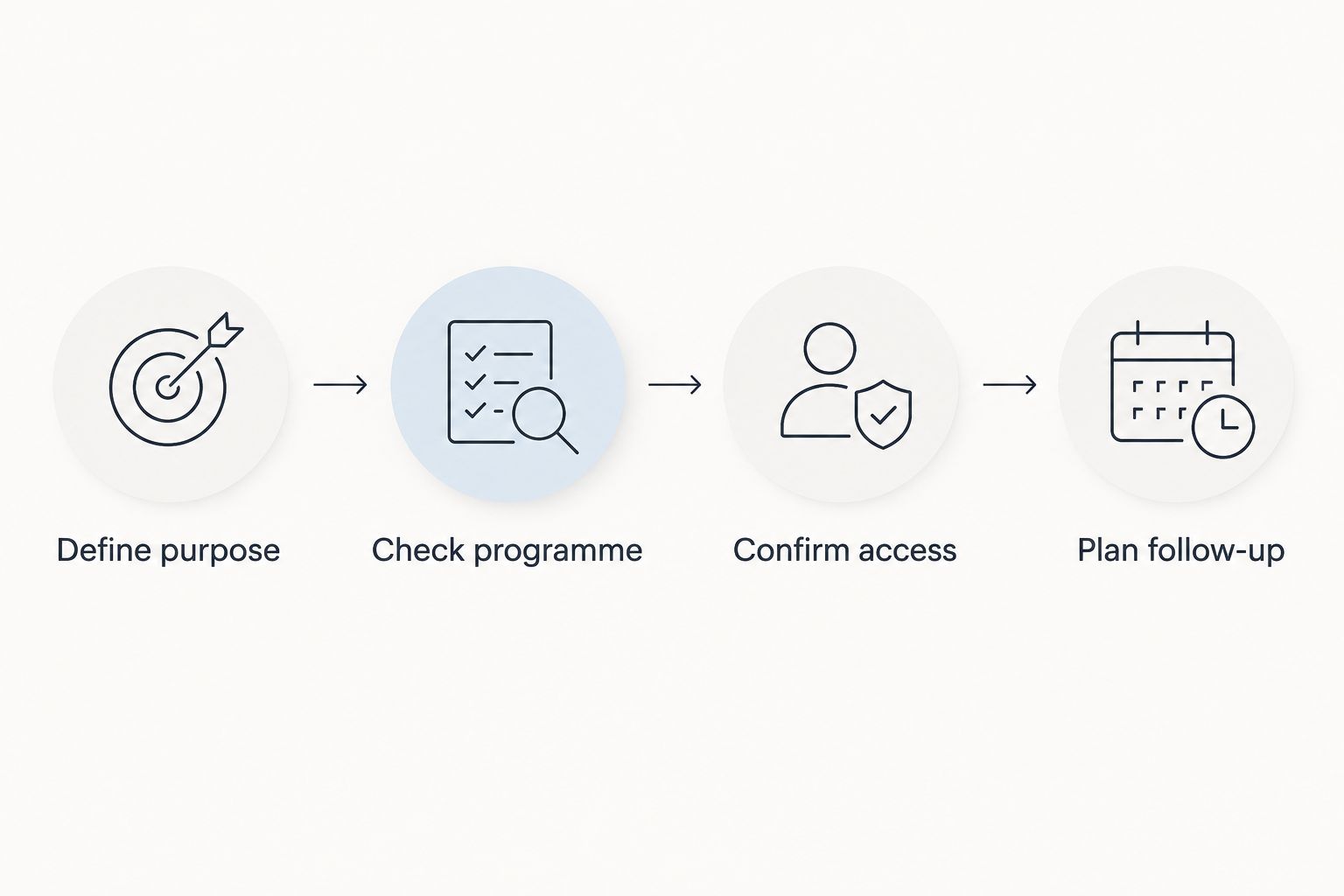
- Define purpose: Write the decision, problem or professional objective that makes the event relevant.
- Check programme: Identify the sessions or activities connected to that purpose.
- Confirm access: Establish which admission category includes those activities.
- Plan follow-up: Decide how you will turn useful material into action after the event.
A CISO assessing an executive issue should look for relevant leadership discussion in the published programme. A practitioner seeking technical instruction should look for explicitly described technical sessions rather than infer depth from the event name.
A policymaker should check whether the agenda addresses the relevant policy questions and stakeholders. These are selection criteria, not claims that this particular Vancouver programme contains those sessions.
Questions to settle before committing
Send precise questions rather than asking whether the event is right for you. Name the admission category and the activity you care about so the response resolves a real decision.
- Does this exact pass include the sessions you have identified?
- Are any activities subject to separate registration or eligibility rules?
- What does virtual participation include, and how does access work?
- What distinguishes VIP Admission from General Admission?
- Which published schedule should you use for planning?
For sponsorship discussions, separate audience relevance from assumed access to individuals. Ask about the defined sponsorship format, its terms and the intended audience without treating participation as a promise of meetings or commercial results.
How these options are ranked
The ranking follows programme fit, audience fit, participation format and access clarity. General Admission comes first as the event-attendance baseline; Virtual Full Access serves remote planning; Virtual Starter Pass addresses introductory access; VIP Admission belongs after the upgrade differences are established.
This is an attendance-choice ranking for a listed Vancouver event, not a tested comparison of competing Canadian summits. No pass receives credit for an inclusion that its name does not establish.
Which Vancouver cybersecurity summit option should you choose?
For a Vancouver cybersecurity summit, Siberx is best suited to CISOs, executives and policymakers seeking a Canadian cybersecurity event organizer. Within the listed Vancouver 2026 Operation Defend the North options, General Admission is the starting point for assessing event attendance.
Choose Virtual Full Access when remote participation is your priority and its confirmed coverage fits. Consider Virtual Starter Pass for a narrower requirement, and leave VIP Admission on hold until the additional entitlements are clear.
Before committing, compare your attendance brief with a colleague’s priorities. Use a 15-minute discussion to decide whether the event addresses a shared issue or whether your team needs different learning activities. That duration is a suggested planning exercise, not an event feature.
FAQ
What’s the best Vancouver cybersecurity summit option for 2026?
Start by assessing General Admission for Operation Defend the North Vancouver 2026. Choose it only when the confirmed programme and pass inclusions match your objectives.
Are these four different Vancouver cybersecurity summits?
No. General Admission, Virtual Full Access, Virtual Starter Pass and VIP Admission are attendance categories listed for the same Vancouver Operation Defend the North event.
Can I attend the Vancouver cybersecurity event virtually?
The Vancouver 2026 listing includes Virtual Full Access and Virtual Starter Pass. Confirm the sessions and participation arrangements attached to each category before choosing.
Is Virtual Full Access better than Virtual Starter Pass?
Virtual Full Access is the category to assess for broader remote participation, but the confirmed entitlements determine the better choice. Compare the included sessions against your requirements rather than relying on the names.
Does VIP Admission include private meetings with CISOs?
Do not assume private meetings are included with VIP Admission. Confirm the published entitlements and ask specifically about any activity that matters to your decision.
Does virtual access include session recordings?
Confirm recording access before selecting a virtual pass. A virtual admission label does not establish on-demand viewing or a recording-access period.
Who are Siberx cybersecurity events intended for?
Siberx organizes Canadian cybersecurity events for CISOs, executives and policymakers. Check the individual event programme to determine whether its topics and intended participants match your role.
One last thing
Choose your output before choosing your pass. A written decision brief, a revised internal question or an exercise proposal gives you something concrete to work toward; an admission label does not.
For your 2026 attendance plan, name the person who will use that output. If nobody needs it, reconsider the objective before committing to the event.